

• Skip to primary navigation
  • Skip to main content
  • Skip to primary sidebar
  • Skip to footer
onecreativemommy.com
  • DIY/Crafts
    • DIY for the Home
    • DIY for the Garden
    • Crafts for Kids
    • Sewing Projects
    • Felt Food Tutorials
  • Parties/Gifts
    • All Party Ideas
      • Frozen Party
      • Harry Potter Party
      • Spy Party
      • Un-Slumber Party
      • Minion Party Ideas
      • Art Party
      • Princess Party
    • All Gift Ideas
  • Holidays
    • Valentine's Day
    • Halloween
    • Christmas and Winter
    • Thanksgiving and Fall
    • Fourth of July
    • New Year
    • Easter and Spring
    • St. Patrick's Day
    • Mother's Day
    • Father's Day
  • Recipes
    • Gluten Free
  • Tips & Tricks
    • Organization Tips
    • Cleaning Tips
    • Parenting Tips
    • Back to School
    • Cooking Tips
    • Gardening Tips
  • Printables
    • Bingo Games
    • Lunchbox Printables
    • Educational Games
    • LDS Printables and Lesson Ideas
  • Navigation Menu: Social Icons

    • Email
    • Etsy
    • Facebook
    • Instagram
    • Pinterest
    • YouTube
menu icon
go to homepage
subscribe
search icon
Homepage link
  • Home
  • DIY & Crafts
  • Parties & Gifts
  • Holidays
  • Recipes
  • Tips & Tricks
  • Printables
    • Facebook
    • Instagram
    • Pinterest
    • YouTube
  • ×
    Home » Blog

    Screen Time Token System for Kids {Free Printable}

    Published: Sep 16, 2026 by Heidi. This post may contain affiliate links 16 Comments

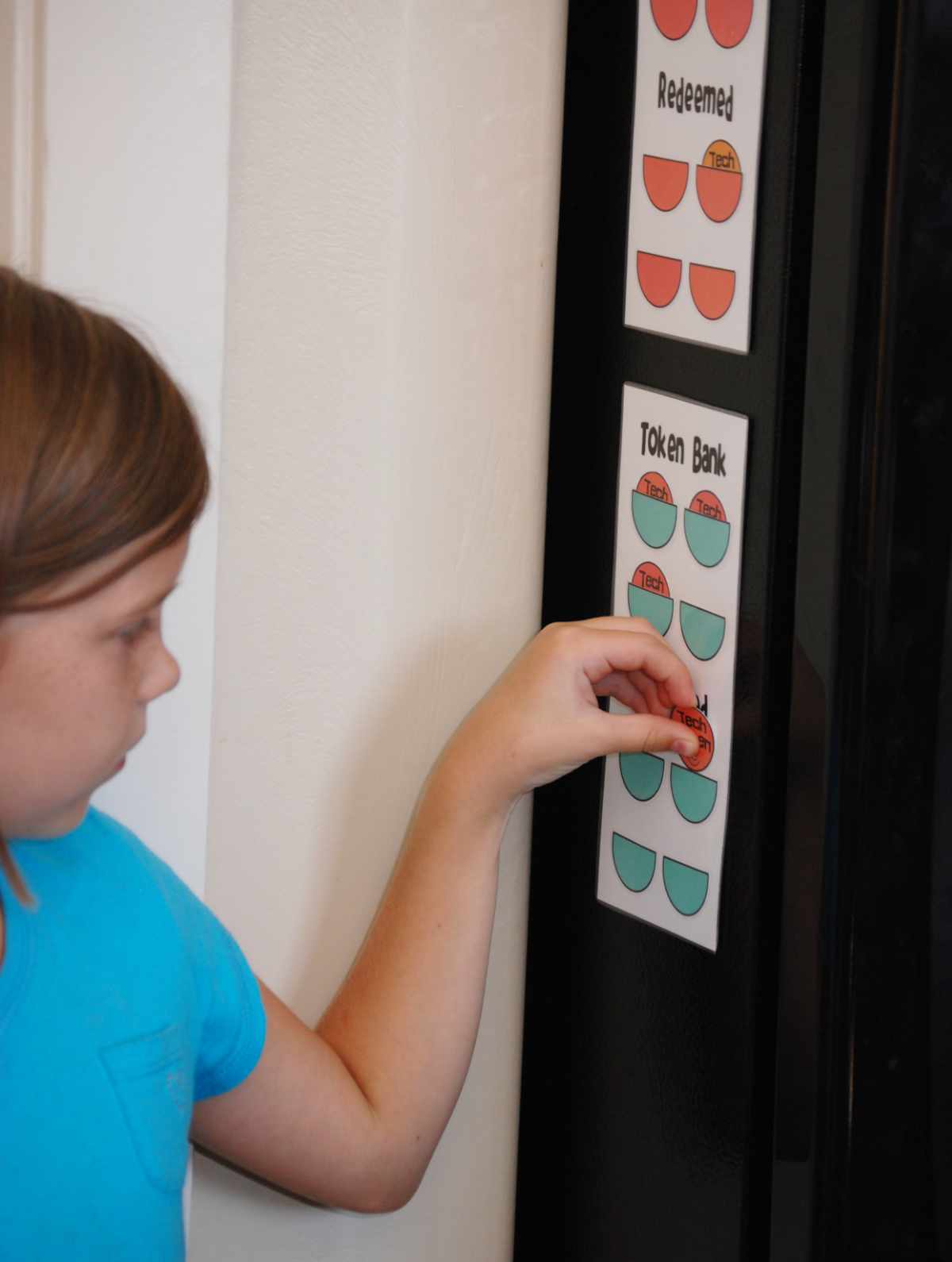
    Child moving a token on a refrigerator-mounted screen time token chart.

    When my kids were younger, I created a screen time token system to help them earn and keep track of their recreational technology time. Each child received a set number of tokens each day, and once their responsibilities were finished, they could exchange those tokens for time watching TV, playing a computer game, or using the Nintendo DS. We called it our technology token system, and it gave the kids a simple, visual way to see how much screen time they had available and how much they had already used.

    How the Screen Time Token System Works

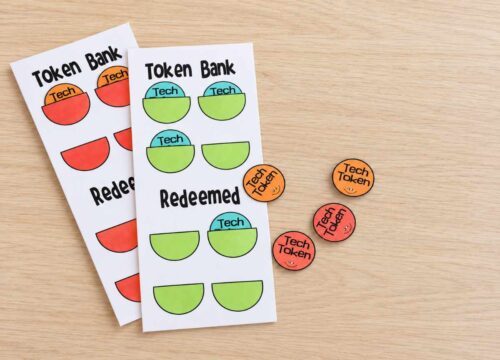
    The printable contains a chart with a Token Bank, a Redeemed section, and four screen time tokens.

    When I originally used the system, each token was worth 30 minutes. Four tokens gave each child the possibility of earning up to two hours of recreational technology time per day.

    That was the amount we chose for our family at that time. It is not a rule or a recommendation for every family.

    You can make each token worth:

    • 15 minutes
    • 20 minutes
    • 30 minutes
    • One episode of a show
    • One turn on a game
    • Any amount that works for your family

    You can also give children fewer tokens, offer different amounts on school days and weekends, or adjust the system for different ages.

    How Children Earn Their Tokens

    When my children were younger, they completed their basic morning responsibilities before receiving their tokens.

    Their list included things like:

    • Getting dressed
    • Eating breakfast
    • Brushing their teeth and hair
    • Putting away their pajamas
    • Straightening their bedrooms
    • Practicing the piano
    • Helping with the dishwasher
    • Completing an assigned job

    Your list will probably look different.

    The point is not that children must complete my exact list. The point is that recreational technology does not automatically come before responsibilities, movement, family time, schoolwork, and everything else that needs to happen during the day.

    Keep the requirements realistic. If the list is too long or constantly changes, the system will become frustrating instead of helpful.

    How Children Redeem Their Tokens

    Once a child completes the agreed-upon responsibilities, place the tokens in the Token Bank.

    When the child wants recreational screen time:

    1. The child checks with a parent.
    2. The child moves one token from the Token Bank to the Redeemed section.
    3. Set a timer for the amount of time represented by the token.
    4. When the timer rings, the device is turned off unless another token is redeemed.
    5. When all the tokens have been used, recreational screen time is finished for the day.

    In our family, unused tokens did not carry over to the next day. We started fresh each morning.

    You can change that rule if another approach works better for your child, but decide in advance. The system is much easier when the rules do not change every time someone wants more screen time.

    A note from my younger self

    *These paragraphs were written when my kids first started using the token system:

    Interestingly enough, my kids have yet to spend all of their tokens.  I think that after using one they might immediately want to use another, but that hasn't happened yet.  They never want to use the last one early in the day, so inevitably, they never use the last token!

    And the best part?  The other night, I couldn't get my youngest girls (who share a room) to quiet down and go to bed.  After going in their room over and over, I finally said, "If I have to come in here one more time, I'm taking away one of your tokens for tomorrow!"  They instantly clammed up and went to sleep!  It worked again tonight!  AWESOME!

    Adapting the Token System for Today

    Finished screen time token charts and colorful Tech Tokens arranged on a light wood table.

    If I were beginning this system now, I would use the tokens only for recreational technology.

    I would not count required schoolwork. I would also decide ahead of time how to handle creative technology.

    For example, designing a model and printing it with a 3D printer is very different from watching one short video after another. Both involve a screen, but one asks the child to make choices, solve problems, and create something.

    That does not mean creative technology needs to be unlimited. It simply means it may belong in a different category.

    You could:

    • Require tokens only for games, entertainment videos, and social media.
    • Allow extra time for approved creative or educational projects.
    • Use a timer for creative technology without requiring a token.
    • Give each child a combination of recreational and creative tokens.
    • Set different rules for school days, weekends, and vacations.

    The goal is not to count every second perfectly. The goal is to keep technology from crowding out sleep, movement, responsibilities, hobbies, face-to-face relationships, and family time.

    Putting Together the Screen Time Token Charts

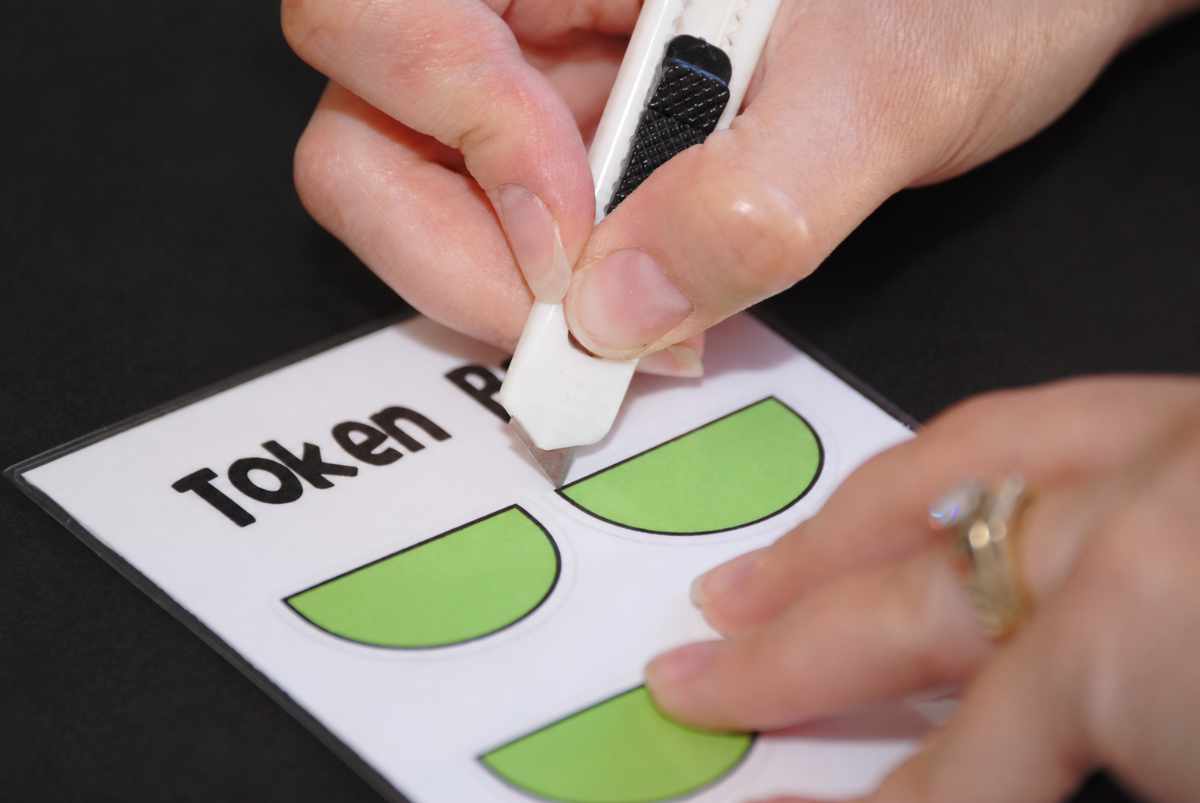
    Adult using a craft knife to cut out green pockets for the screen time token system.

    Materials

    Click here to download the Technology Token System Printables

    • The free printable - click the box above to download
    • Cardstock or heavy paper
    • Laminating sheets and a laminator, or access to a copy center
    • Scissors
    • A craft knife
    • Craft glue or glue tape
    • Magnets, if desired

    Instructions

    1. Download and print the Screen Time Token System on cardstock or heavy paper.
    2. Cut along the light gray lines to separate the charts.
    3. Choose your pocket colors and carefully cut around the outside black lines.
    4. Place a small amount of glue along the bottom edge of each pocket. Attach the pockets to the corresponding outlines on the chart. Do not use too much glue, or the tokens may not slide into the pockets.
    5. Laminate the assembled charts.
    6. Cut out each laminated chart, leaving a narrow sealed border around the outside edges.
    7. Use a craft knife to carefully slit the laminating film across the top of each pocket. Cut only through the top layer of plastic, not through the cardstock.
    8. Cut out and laminate the screen time tokens.
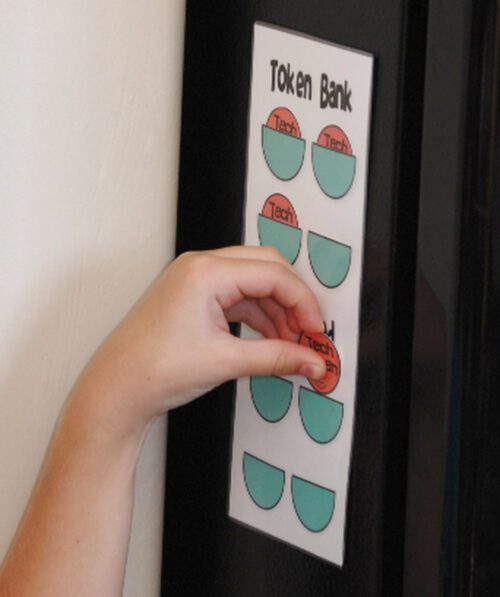
    9. Slide the tokens into the Token Bank pockets.
    10. Display the charts where everyone can see and use them. Add magnets to the back if you want to place them on the refrigerator.
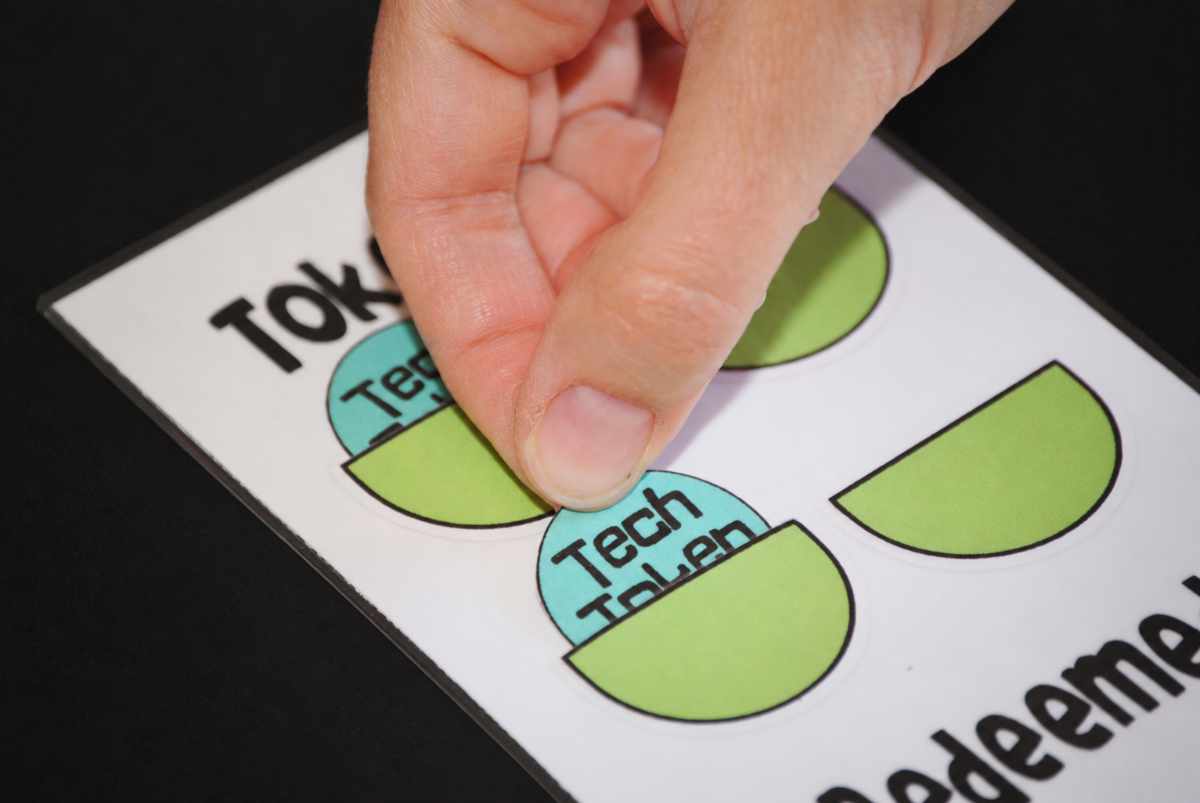
    Hand placing a blue Tech Token into a finished green pocket on the screen time token chart.

    The Goal Is Balance, Not Perfection

    Technology is part of childhood now. Children use it at school, at home, to communicate, and to create. Pretending we can eliminate it completely is not realistic for most families.

    Unlimited access is not the only alternative.

    We can teach children to use technology thoughtfully. We can decide when and where devices are allowed. We can protect bedtime, family time, responsibilities, and activities that do not involve screens. We can say no to apps or accounts when our children are not ready.

    And we can change the plan when it stops working.

    The screen time token system is simply a tool. Adapt it for your children, your values, and the technology your family uses today.

    I hope it helps make screen time a little easier to manage at your house!

    RELATED: Pet Rock Tic-Tac-Toe, Family Reunion Jeopardy

    I hope this idea is helpful to you and your family!  I love to create motivational printables.  You might like some of these as well.  (Images below are linked.)
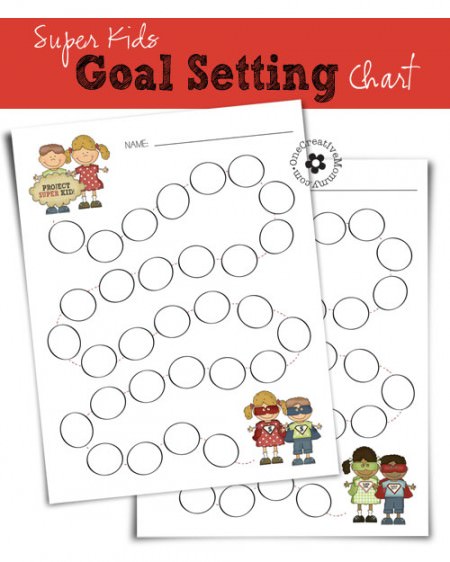
    Free Printable Super Kids Goal Chart {Help your kids keep track of the great things they do on the road to becoming Super Kids!} OneCreativeMommy.com

    February Point Card Freebie {A great way to keep track of goals, behavior, or completed work--1 full point card = $1, a prize, or whatever you want!} #motivate #kids

    Goal Setting: Helping kids turn short-term goals into long-term habits {Free Printables} OneCreativeMommy.com

    Thanks for stopping by.  See you again soon!

    Heidi

    More Blog

    • UGEE Funbox 3D printer for kids with finished 3D printed toys
      UGEE Funbox 3D Printer Review: Is It Really Easy Enough for Kids?
    • End-of-summer home reset with summer gear organized in a bright entryway before fall.
      A Simple End-of-Summer Reset for Your Home
    • Cute teenage girl holding a stack of books
      You'll want to binge-read these clean books for teens and tweens
    • Happy Cinco de Mayo! Enjoy this free bingo game to celebrate.
      Free Cinco de Mayo Bingo Game

    MORE IDEAS FOR YOU

    • Recipes
    • DIY & Crafts
    • Holidays
    • Parties & Gifts
    • Printables
    • Tips & Tricks

    Reader Interactions

    • Facebook
    • Instagram
    • Pinterest
    • YouTube

    About Heidi

    Hi! I’m Heidi, the sometimes scatterbrained, but always creative mind behind One Creative Mommy. I'm a retired teacher, wife, and mom of three beautiful teenage girls and one adorable fur baby. In my spare time, I love to share my ideas (mistakes and all) with anyone who will listen.

    Learn more about me →

    Comments

    1. Pam @ Over the Big Moon

      July 09, 2014 at 11:23 pm

      This is amazing Heidi! I'm totally putting this together for my boys this week! Pinning and sharing!! Thanks again!

      Reply
      • Heidi Fowler

        July 10, 2014 at 10:44 am

        Thanks, Pam! Miss you guys! I hope the boys like it.

        Reply
    2. Sarah @ Little Red Brick House

      July 10, 2014 at 10:28 am

      This is such a great (and timely) idea, Heidi! I struggle with keeping track of tech time at our house. I think actually being able to see the time being earned/redeemed would help my son use his time more wisely.

      Reply
      • Heidi Fowler

        July 10, 2014 at 10:45 am

        Thanks, Sarah. I laugh that my girls never use all of their time. When they can see what they have, they don't want to use it all!

        Reply
    3. Mandee Thomas

      July 10, 2014 at 3:23 pm

      Stopping by from the Wow Me Wednesday Link Up. Awesome idea and super cute printable :D If you would like to, I would LOVE for you to share it (and any other printables you've done) with my "Free Printables" Google Plus Community! goo.gl/RPWDbD

      Reply
      • Heidi Fowler

        July 10, 2014 at 4:33 pm

        Thanks, Mandee! I have tons of printables, and I'd love to share. (I'll try not to share everything at once!) Thanks for inviting me.

        Reply
    4. Marie @ The Money Template

      July 11, 2014 at 9:36 am

      This is totally an awesome one Heidi! I should try to make it this weekeend, I'm sure my daughter would love this one!

      Reply
      • Heidi Fowler

        July 14, 2014 at 2:33 pm

        Thanks, Marie! I think most kids like visuals like this. I hope your daughter likes it, too!

        Reply
    5. Ashley M.

      July 11, 2014 at 1:40 pm

      What a great idea! I always feel like I lose control of technology time when I get busy and they end up using the iPad forever!
      Thanks for sharing this printable too! So cute :-)

      mommaofthreeblog.blogspot.com

      Reply
      • Heidi Fowler

        July 14, 2014 at 2:33 pm

        That's exactly what happens to me, Ashley! It's so easy to get too busy to notice.

        Reply
    6. Julie

      July 17, 2014 at 11:15 am

      Thanks for linking up at Crafty Thursday Obsessions! You're one of this weeks features http://julieiscocoandcocoa.blogspot.com/2014/07/crafty-thursday-obsessions-29.html

      Reply
      • Heidi Fowler

        July 17, 2014 at 10:44 pm

        Thanks so much, Julie! I'm off to check it out and link up for this week.

        Reply
    7. Jennie

      July 17, 2014 at 7:32 pm

      This is an awesome idea!!
      Come by and share on my linkup today!
      http://thediaryofarealhousewife.blogspot.com

      Reply
      • Heidi Fowler

        July 17, 2014 at 10:42 pm

        Thanks for the invite, Jennie. I'm all linked up!

        Reply
    8. Amanda

      January 03, 2015 at 9:44 pm

      Hi, thank you very much for the tech token. I just had an argument with my 2 children and took their time away from technology. This looks easy to use and could work for me.

      Reply
      • Heidi Fowler

        January 03, 2015 at 10:01 pm

        Oh, I hope it does work for you, Amanda! Thanks for taking the time to comment, and you are very welcome.

        Reply

    Leave a Reply Cancel reply

    Your email address will not be published. Required fields are marked *

    Recipe Rating


    Primary Sidebar

    Hi! I’m Heidi, the sometimes scatterbrained, but always creative mind behind One Creative Mommy. I'm a retired teacher, wife, and mom of three beautiful teenage girls and one adorable fur baby. In my spare time, I love to share my ideas (mistakes and all) with anyone who will listen.

    More about me →

    Subscribe

    Popular

    • Do You Want To Build a Snowman? {Olaf Sock Snowman Tutorial from OneCreativeMommy.com} #olaf #frozenpartyideas
      Olaf Sock Snowman Tutorial
    • Valentine--You're Worth Melting For / Frozen Olaf {OneCreativeMommy.com} Build a Snowman Frozen Valentine Idea and Printable
      Frozen Olaf Valentines {Free Printable}
    • DIY storage lockers for kids with cubbies for backpacks, lunchboxes, shoes and storage bins
      DIY Storage Lockers for Kids: An Easy Organization Solution
    • 27 Creative Valentine's Day Classroom Door Decorations {OneCreativeMommy.com} I can't decide which idea to use!
      27 Creative Classroom Door Decorations for Valentine's Day

    Save Money

    Footer

    Privacy Policy

    Footer

    ↑ back to top

    About

    • Privacy Policy
    • Printables Terms of Use

    Newsletter

    • Sign Up! for emails and updates

    Contact

    • Contact

    As an Amazon Associate I earn from qualifying purchases.

    Copyright © 2022 OneCreativeMommy