
• Skip to primary navigation
  • Skip to main content
  • Skip to primary sidebar
  • Skip to footer
onecreativemommy.com
  • DIY/Crafts
    • DIY for the Home
    • DIY for the Garden
    • Crafts for Kids
    • Sewing Projects
    • Felt Food Tutorials
  • Parties/Gifts
    • All Party Ideas
      • Frozen Party
      • Harry Potter Party
      • Spy Party
      • Un-Slumber Party
      • Minion Party Ideas
      • Art Party
      • Princess Party
    • All Gift Ideas
  • Holidays
    • Valentine's Day
    • Halloween
    • Christmas and Winter
    • Thanksgiving and Fall
    • Fourth of July
    • New Year
    • Easter and Spring
    • St. Patrick's Day
    • Mother's Day
    • Father's Day
  • Recipes
    • Gluten Free
  • Tips & Tricks
    • Organization Tips
    • Cleaning Tips
    • Parenting Tips
    • Back to School
    • Cooking Tips
    • Gardening Tips
  • Printables
    • Bingo Games
    • Lunchbox Printables
    • Educational Games
    • LDS Printables and Lesson Ideas
  • Navigation Menu: Social Icons

menu icon
go to homepage
subscribe
search icon
Homepage link
  • Home
  • DIY & Crafts
  • Parties & Gifts
  • Holidays
  • Recipes
  • Tips & Tricks
  • Printables
×
NEWSLETTER | SUBSCRIBE |
🔍 SEARCH
Home » Tips & Tricks » Blogging Tips

Free Photo Templates from Jessie Kay Graphics and Design {Guest Post}

Published: Feb 8, 2014 by Heidi Fowler. This post may contain affiliate links 2 Comments

Free Photo Templates from Jessie Kay Graphics and Design {Guest Posting on OneCreativeMommy.com} #free #photo #template

Hi, OneCreativeMommy readers!  I'm Jessica from Jessie Kay Graphics and Design.

Guest Post from Jessie K Graphics and Design

First of all, thanks to Heidi for having me here today!  I am a graphic designer by trade, and one day I decided that I wanted to make design accessible to everyone through my blog with tutorials, templates, and ideas!  At least, that is my goal.  Today, I am here to show you some blog photo templates I use when putting together a post, like when I took engagement pictures for my brother.

These templates are great for when you want to showcase a lot of pictures on your blog, without taking up a bunch of space on your server!  And without making your page load really slowwwwly, which can happen too.

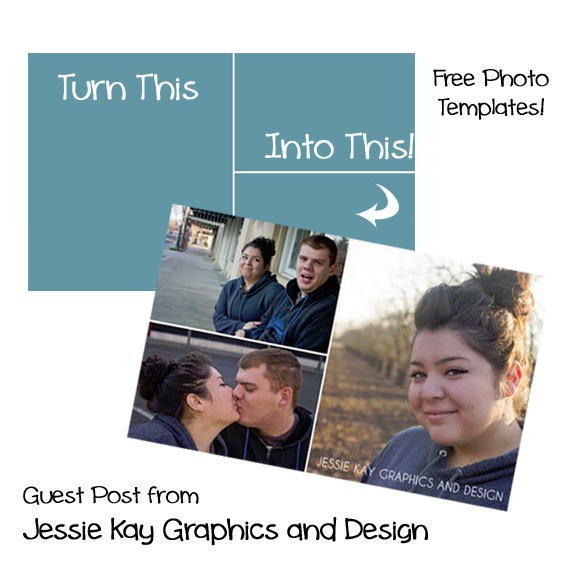
Here are some examples of my templates:

But here is what they look like with no pictures:

The key here is clipping masks.

If you aren't familiar with the terminology, basically, a clipping mask takes a picture and clips it to whatever shape you tell it to.

In Adobe Photoshop, you just right click on the photo layer and click "Create clipping mask".

It looks like this:

Then it will look like the example I showed you above. Exciting right?

And just in case you like these templates, you can download them below:

2 Picture Template | 3 Picture Template 

Once again, thanks Heidi for letting me post here today! I hope these prove useful to some of you! If you have any questions, please feel free to contact me!

(This is Heidi.)  Thanks, Jessica, for sharing your ideas and awesome templates with my readers.  Want to see some of my favorite posts from Jessica's site?  Of course you do!

Homemade Peppermint Patties

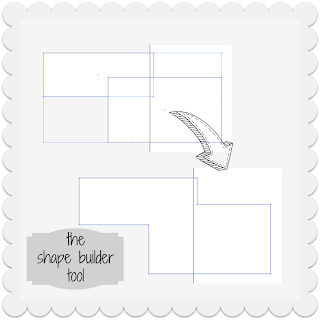
Design Tips:  Shape Builder Tool in Adobe Illustrator


More Blog

  • Create a Halloween hot chocolate bar with spooky topping names, simple decorations, and cozy cocoa ideas for kids and family parties.
    Halloween Hot Chocolate Bar: A Spooky Treat for Chilly Nights
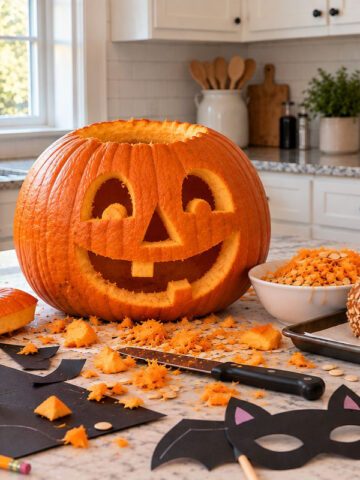
  • Homemade Halloween decorations and pumpkin carving in a bright kitchen
    Nostalgic Halloween: Simple Ways to Bring Back the Halloween Magic
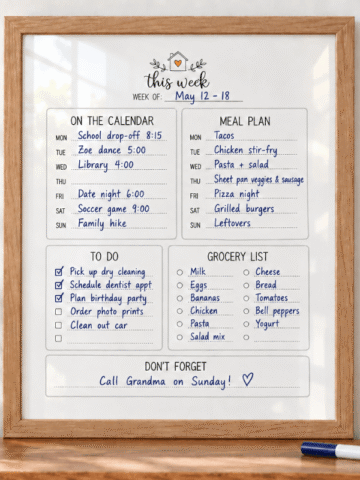
  • Framed weekly planner printable filled in with a blue dry-erase marker for organizing appointments, meals, tasks, and groceries.
    The Home Hub: A Simple Printable System to Organize Your Week
  • UGEE Funbox 3D printer for kids with finished 3D printed toys
    UGEE Funbox 3D Printer Review: Is It Really Easy Enough for Kids?

MORE IDEAS FOR YOU

  • Recipes
  • DIY & Crafts
  • Holidays
  • Parties & Gifts
  • Printables
  • Tips & Tricks

Reader Interactions

About Heidi

Hi! I’m Heidi, the sometimes scatterbrained, but always creative mind behind One Creative Mommy. I'm a retired teacher, wife, and mom of three beautiful teenage girls and one adorable fur baby. In my spare time, I love to share my ideas (mistakes and all) with anyone who will listen.

Learn more about me →

Comments

  1. Tammy Northrup

    January 24, 2013 at 12:33 am

    Thanks for the tutorial Jessica. Tammy - http:// http://www.yoursandmineareours.blogspot.com

    Reply

Leave a Reply Cancel reply

Your email address will not be published. Required fields are marked *

Recipe Rating


Primary Sidebar

Headshot of Heidi, owner of One Creative Mommy and All Things Lovely

Hi! I’m Heidi, the sometimes scatterbrained, but always creative mind behind One Creative Mommy. I’m a retired teacher, wife, and mom of three beautiful girls and two adorable fur babies. In my spare time, I love to share my ideas (mistakes and all) with anyone who will listen.

More about me →

Save Money

Footer

Privacy Policy

Footer

↑ back to top

About

  • Privacy Policy
  • Printables Terms of Use

Newsletter

  • Sign Up! for emails and updates

Contact

  • Contact

As an Amazon Associate I earn from qualifying purchases.

Copyright © 2022 OneCreativeMommy